Explore your way
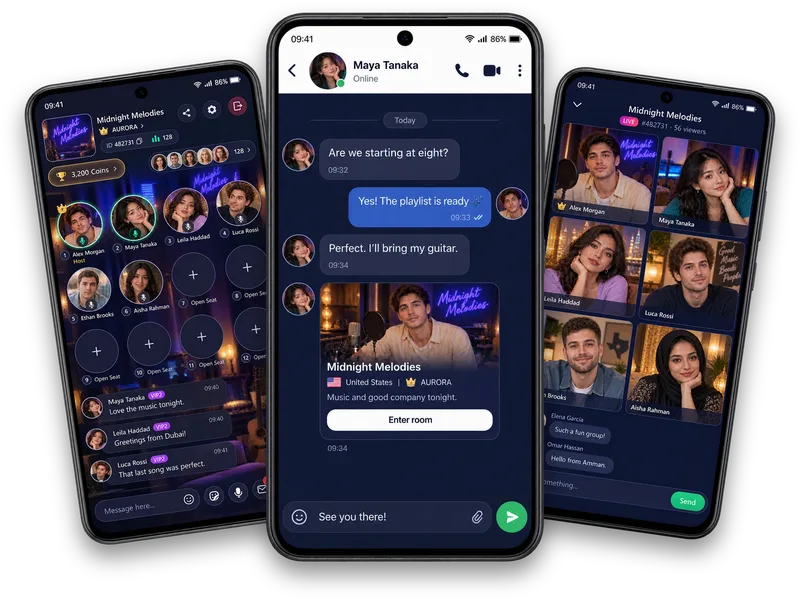
Browse Following, All, New and Calls in Explore. Use Popular, country and Recent filters to find the conversations that interest you.
Live voice chat rooms
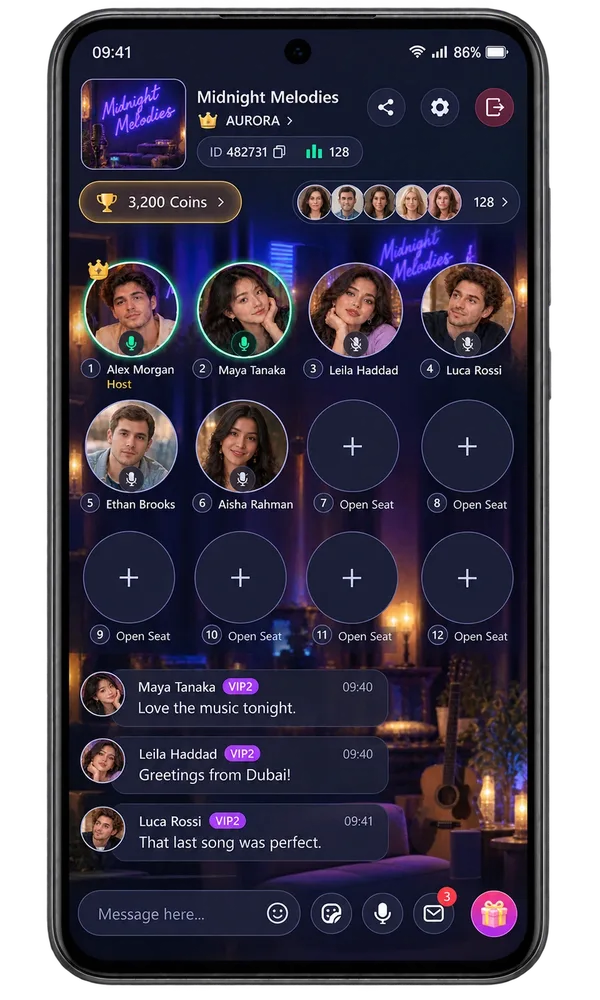
Join group voice chat in Vozzo Audio Rooms, listen to a host and explore speaker seats when you are ready. Find rooms by topic or country, and discover Solo Live and Party Live as separate video formats.
Audio rooms
Browse Following, All, New and Calls in Explore. Use Popular, country and Recent filters to find the conversations that interest you.
A permanent room has its own cover, name and country. Recognisable rooms help a community find its way back together.
Preview a room before entering, or prepare your own Audio Room, Solo Live or Party Live when your account is eligible.
Make it your experience
Give your room a clear identity and a topic people can join at their own pace. Hosts can review their own activity in Live Data; listeners can discover a space that feels right for them.
Questions, answered
Open Explore and browse Following, All, New or Calls, then use Popular, country and Recent filters to narrow your choice. Room listings introduce the host, cover, country, announcement and participation information. Check a room before entering and choose a conversation that interests you. The options available depend on the room and your account.
Create a permanent room with a cover, name, country and a default Audio, Solo or Party mode. Review the country information carefully because the app explains any limits on changing it. Your room gives the community a recognisable identity. Creating or editing that identity is separate from starting a live session.
Open your existing room's Go Live setup, check its identity and edit it if needed. Choose Audio Room, Solo Live or Party Live, then follow the Go Live action when your account is eligible. Host requirements and participation limits apply. The setup screen prepares your session; the active live stage is a separate experience.
The entry preview introduces the room through its cover, title and country. Choose Enter room when you want to join, or Cancel to keep exploring. Locked rooms follow their own access steps. The preview helps you make a choice before joining; seats, room chat, gifts and live participants belong to the active session.
Open Live Data to review the periods, room-mode breakdowns and activity totals available to your account. It helps you look back on your Audio, Solo and Party experience from one place. This information belongs to the account holder. Website examples are not public host analytics, real audience totals or promises of a particular result.
New to shared audio? Learn how listeners and speaker seats work, then use the welcome and opening-question guide to make newcomers comfortable.
Explore all live streaming guides for related topics.
Take your people with you
See the live video, messaging and community features, then check official app download details for your next step.
Get Vozzo