Prepare your account
Complete face authentication, choose a live cover and meet the required Wealth level before submitting your application.
Bring your voice. Build your community.
Apply to become a Vozzo host for Audio Rooms, Solo Live or Party Live. Learn about verification, live applications and room setup, then request the current host pay plan and eligibility terms through official support.
For hosts
Live hosting means running a live audio room or a live video stream: you choose the topic, welcome people, respond to room chat and keep the conversation comfortable for everyone.
Complete face authentication, choose a live cover and meet the required Wealth level before submitting your application.
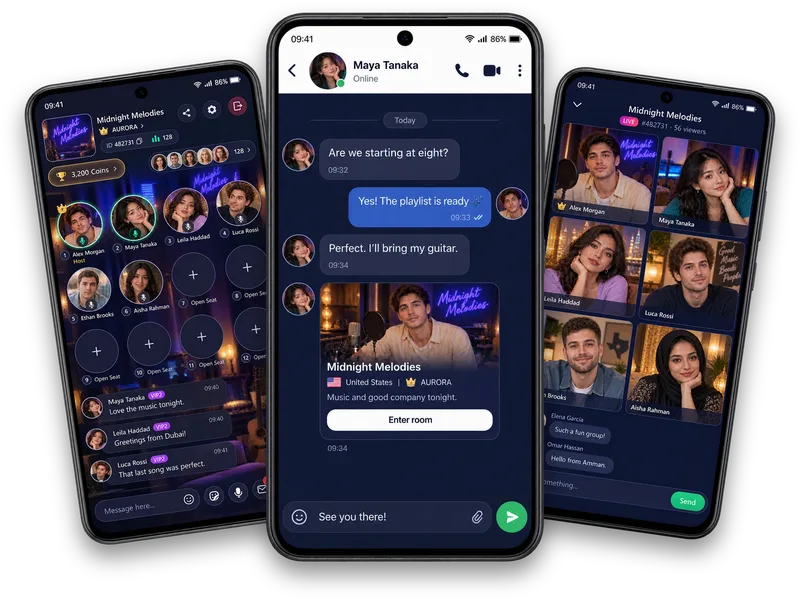
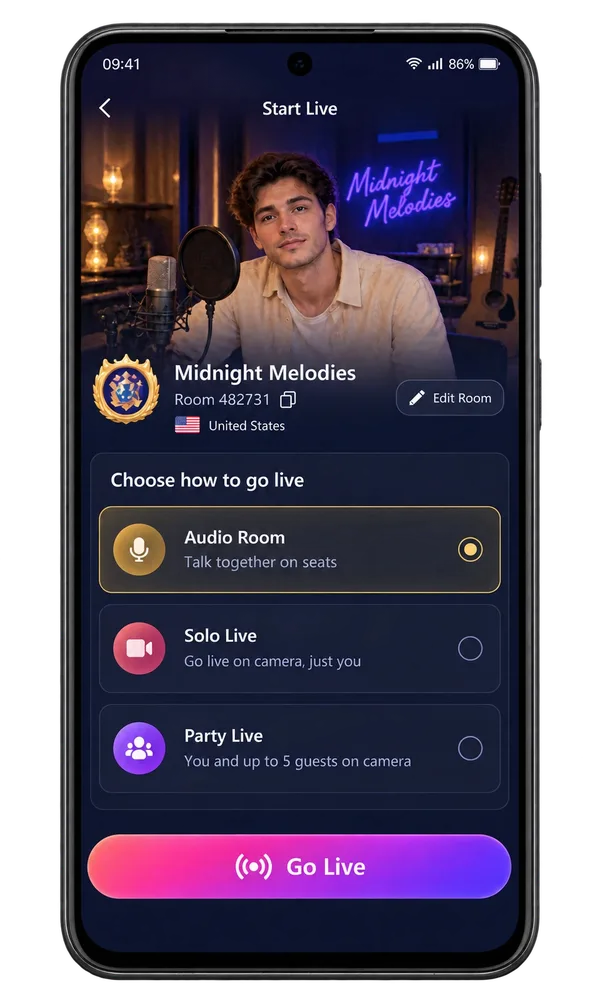
Choose a cover, name and country for your permanent room. Read the information that becomes locked before saving.
Prepare Audio Room, Solo Live or Party Live from your room setup, then review your own activity in Live Data.
Make it your experience
A clear topic and a thoughtful welcome make a better beginning than a complicated script. Check application status, eligibility and the available room controls before starting. Activity, gifts and virtual rewards do not guarantee income.
Behind the mic
A good host brings energy, not a script. Check your sound, put on your headphones and give the room a reason to stay a little longer.
Questions, answered
Bring conversation, performance and community into one mobile experience. Give your room a recognisable identity, choose Audio Room, Solo Live or Party Live, connect through room chat and keep relationships growing through profiles, Moments and Families. Live Data helps you review your own activity. Vozzo is preparing for launch, so use this guide to explore the experience and its requirements.
Hosting begins with preparation. Complete face authentication, add a live cover and meet the Wealth level required by the app before submitting your live application. Check the requirements and your application status in the app. Submitting an application does not promise approval or make your room live automatically.
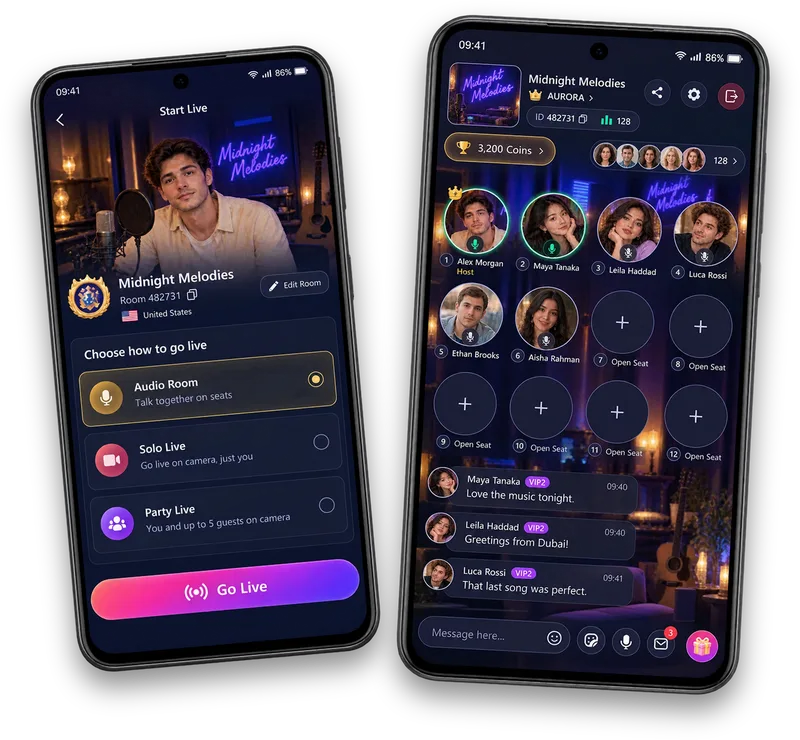
Create a permanent room with a cover, name, country and a default Audio, Solo or Party mode. Review the country information carefully because the app explains any limits on changing it. Your room gives the community a recognisable identity. Creating or editing that identity is separate from starting a live session.
Open your existing room's Go Live setup, check its identity and edit it if needed. Choose Audio Room, Solo Live or Party Live, then follow the Go Live action when your account is eligible. Host requirements and participation limits apply. The setup screen prepares your session; the active live stage is a separate experience.
Open Live Data to review the periods, room-mode breakdowns and activity totals available to your account. It helps you look back on your Audio, Solo and Party experience from one place. This information belongs to the account holder. Website examples are not public host analytics, real audience totals or promises of a particular result.
Paid host applications are open through support@vozzo.org. Introduce yourself, your country and the kind of live experience you want to host. Ask for the current pay rate, payment period, qualifying activity, targets and payout arrangements. Review your approved agreement before starting; an enquiry alone is not a salary commitment.
Ready to apply? Request the current Vozzo host pay plan, review how to start a live room, and explore host agency partnerships if you work with a creator team.
Explore all live streaming guides for related topics.
Take your people with you
See the live video, messaging and community features, then check official app download details for your next step.
Get Vozzo